
Bivial AG
EN
Login

Real-Time Corporate Card Controls Built for Smarter Spend Management.

Take complete authority over company spend with dynamic limits, custom merchant rules, and strict role-based visibility, all from one dashboard.
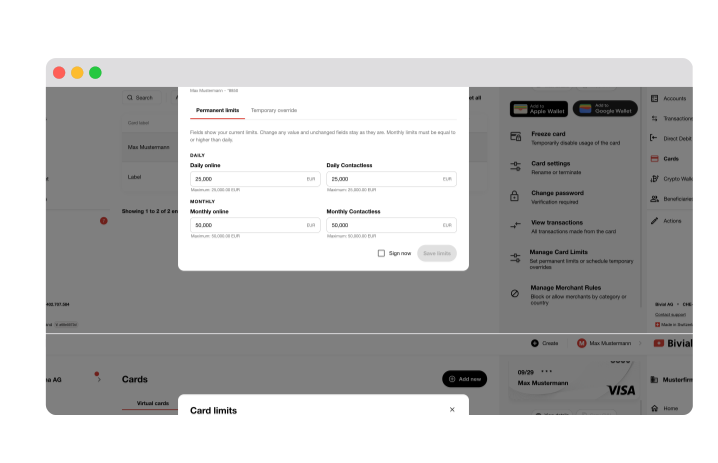
Bivial Corporate Card Management dashboard

Smart Spend Controls for Modern Teams.

Eliminate unauthorised purchases before they happen with daily and monthly caps you can tailor per card, per employee, per use case.

Permanent & Temporary Limits.

Set baseline daily and monthly spending limits on internet purchases, contactless taps, and ATM withdrawals, or apply a Temporary Override to adjust limits for business travel or major one-off purchases. Limits automatically revert when your set end date passes.

Merchant Whitelists & Blacklists.

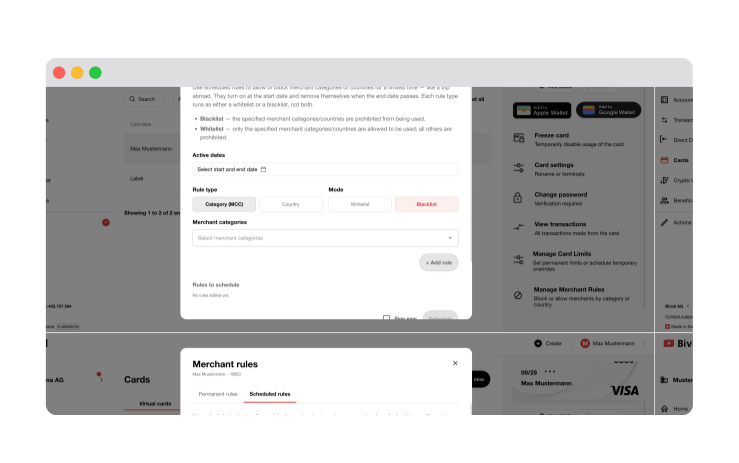
Block or allow specific merchant categories (e.g. software, travel, fuel) and countries permanently or on a schedule using single-mode Merchant Rules.
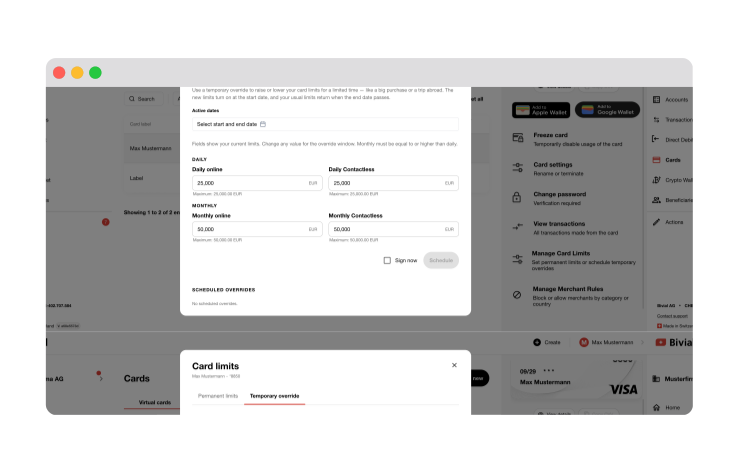
Setting permanent and temporary card limits in the Bivial dashboard
Merchant whitelist and blacklist rules in the Bivial dashboard

Role-Based Transparency & Security.

Designed for Admin Oversight and Individual Privacy. Corporate Card Management aligns visibility with responsibility so everyone gets the exact tools they need.

For Card Managers.

Monitor company-wide spend and limit usage live. Select any card to track individual activity instantly.

For Cardholders.

A clean, focused interface displaying only their assigned limits, active rules, and personal transaction history.

Customise your corporate spend controls.

Update card parameters instantly with zero downtime or administrative delay.
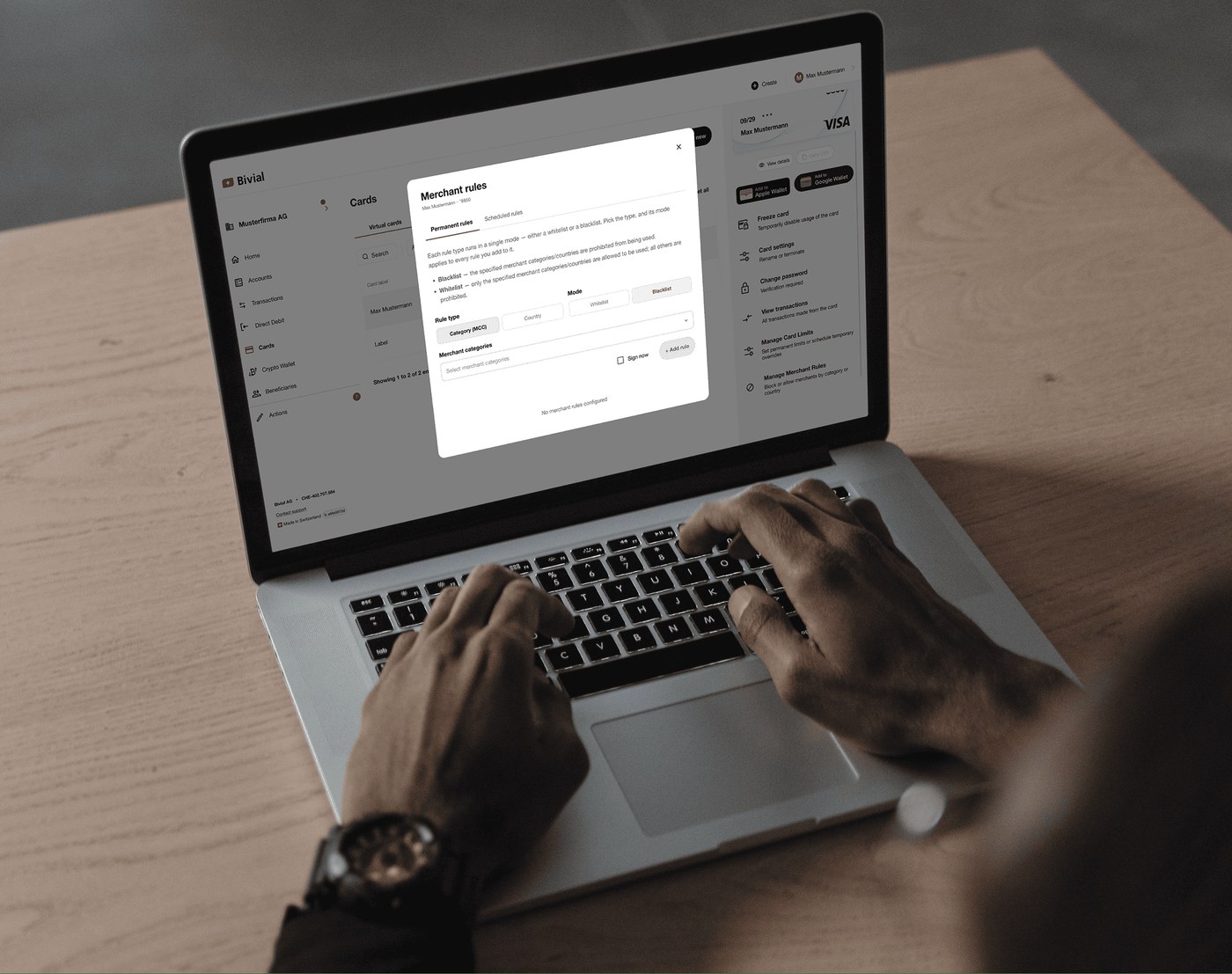
Manager updating corporate card controls on a laptop

FAQs.

How do Temporary Overrides work for spending limits?

A Temporary Override allows you to temporarily adjust daily or monthly spending limits for a specific timeframe (e.g., during an employee's business trip). Simply select the start and end dates along with the revised limit. The temporary cap takes effect at the start date and automatically reverts to the card's standard permanent limit once the end date passes.
A Whitelist prohibits all transactions except for the specific merchant categories or countries you explicitly allow. A Blacklist permits all standard transactions except for the specific categories or countries you explicitly block. Note that each rule type operates in a single mode at a time.
Yes. Scheduled Rules allow you to enable or disable specific merchant categories or geographic locations for a defined period. Once the end date passes, the scheduled rule automatically removes itself, restoring standard permanent rules.
Yes. When setting permanent or temporary limits, the monthly limit must always be equal to or higher than the daily limit. Unchanged fields will stay at their current values when updating limits.
No. Our role-based architecture restricts cardholders to viewing their own card limits, active parameters, and personal transaction history. Only designated Card Managers and Admins have access to company-wide financial data.

Take control of your corporate spend with Bivial.

Ask your AI about Bivial

ChatGPTClaude

Bivial AG is a deposit-taking financial institution authorised by the Swiss Financial Market Supervisory Authority (FINMA) under the Swiss Federal Banking Act, Article 1b

Bivial AG, Industriestrasse 24, CH-6300 Zug, Switzerland

Representative Office - Zürich: Bivial AG, Freigutstrasse 20, CH-8002 Zürich, Switzerland

SWIFT (BIC) Code: KLARCH22XXX

Swiss Interbank Clearing IID: 830414

Swiss QR-IID: 311015


© Bivial AG. 2026 All rights reserved